





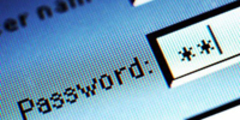
Practicing the principles of basic computer safety is a must for everyone that dares to navigate the World Wide Web. The Internet was a benign creature when it was created; its creators' intentions and purposes for it were good, moral and meant to benefit mankind. Today, however; the Internet is filled with dangerous and malicious threats. Whether computing from home, the office, or a public terminal at an airport, library or café, make sure that your computer and its browsing session is protected and that you follow some basic principles to safeguard yourself from danger.
A basic approach to computer safety would encompass two principles. The first would be to protect the computer itself. This can be accomplished through the use of anti-virus, anti-spyware and firewall applications. The second principle would be to safeguard your own actions when using any computer; whether surfing the web, corresponding by email, shopping, paying bills, or social networking.
Some self defence measures that your computer should be armed with are:
Anti-Virus/Anti-Spyware Software: When installed on your computer, these types of programs will search your system for known viruses or spyware and either remove or disable their ability to cause harm to your equipment and software applications. The best of these programs will automatically perform scans periodically, and routinely update themselves with updated anti-virus and anti-spyware definitions to protect against new threats. The most typical viral infections are transmitted through email and will attempt to spread and replicate themselves by exploiting your email application and its contact list. Once active, their payloads can quickly consume all of your computer's resources and bring your computing experience to crashing halt. Spyware will do just as its name implies, and covertly gather and transmit information back to its creators. This information may be used to keep track of Internet statistics, but it can also be used to capture sensitive personal information such as passwords, credit and bank account numbers and email addresses.
Firewall Software: Anytime you are on the web, your computer is both sending and receiving data. Firewall software applications are designed to protect against incoming and outgoing threats from viruses, spyware, and hackers that could potentially invade your computer and use it to attack other computers. Some Microsoft Windows operating systems have built-in firewalls. For other operating systems there are third party applications available for protection. There are a number of vendors that provide bundles of software applications that include anti-virus, anti-spyware and firewall software; these software suites are probably the easiest to install and manage for less technically-savvy computer users.
Your own personal actions on the Web will help lower the threat level against you. There are some very basic do's and don'ts to follow whenever and wherever you are online.
 Passwords and personal information: Whenever you need to create and use a password, make sure it is at least six characters long, contains letters, numbers and/or symbols, and is not a word that can be found in dictionaries. Do not write your passwords down, but if you absolutely must, make sure that they are kept in a secure location, and not written on the bottom of your mouse pad or on a sticky note stuck to your computer monitor. Your own personal information should be treated with the same level of cautious awareness. Do not freely give out your name, address, phone number, credit card numbers, bank account information, social security number or date of birth. If you are shopping online, do so only from reputable companies and through their secure web sites.
Email and attachments: Do not under any circumstances open attachments contained in email unless you were expecting to receive them. Even if you know the individual or company that has sent them to you, but are suspicious of their true origin, contact the senders and verify that they did in fact send them to you. Some viruses and malware are extremely effective in disguising themselves to prevent you from identifying their true nature.
The World Wide Web can be a wonderful place to interact with others, learn, and do business; but it can also be a very hazardous place to those that are unaware of the potential dangers lurking there and how best to protect themselves.


jillis - 13 years ago
To add to the paragraph on anti-virus updates, you can keep up to date by going in and getting the updates yourself any time you sit down to use the net. You don’t have to wait for the regular updates. And frequently, at the end of a session, you can start a scan going yourself, clicking on the ‘Turn computer off if no items found’ and popping in later to see how things went.